Follow the article and learn how to run a Remote Design Sprint
By Roque Sales, CX & UX Manager at Zappts
Design Sprint has everything to do with innovation. We can say it is a system or step-by-step method to solve big problems and test big ideas.
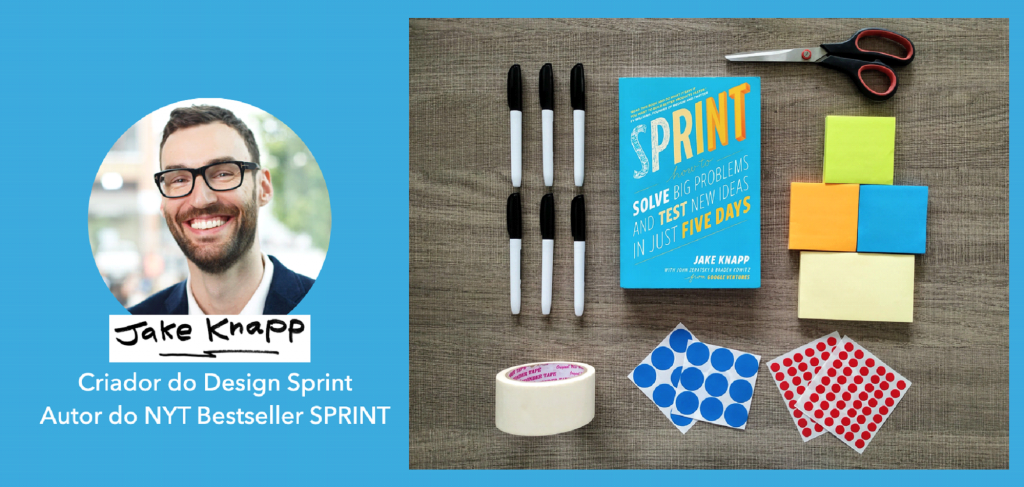
This method was created by Google in 2016, with designer Jack Knapp as its creator. He basically took all the mindset and philosophy of Design Thinking and consolidated it into a 5-day process, thus creating the method we know as Design Sprint.
The process is applied to test ideas and validate them before developing the solution. This way, it’s possible to test a prototype with real users and get feedback on its functionality and user experience.
The materialization of the idea in Design Sprint is built as a team with professionals from different areas of the company, who solve the challenges and results of each stage of the process together.
Design Sprint and Design Thinking
Design Sprint is based on Design Thinking and we can understand it through the following definition:
“Design Sprint is a five-day process for solving big business problems through design, prototyping, and testing ideas with customers” – Jack Knapp.
Tim Brown, designer and author of the book “Design Thinking – A Powerful Methodology to Decree the End of Old Ideas” (2009), defines “Design Thinking as a human-centered approach to innovation that draws from the designer’s toolkit to integrate the needs of people, the possibilities of technology, and the requirements for business success”.
Design Thinking corresponds, thus, to design tools and combinations for creation and innovation, assuming that the professional knows and knows how to apply them in projects.
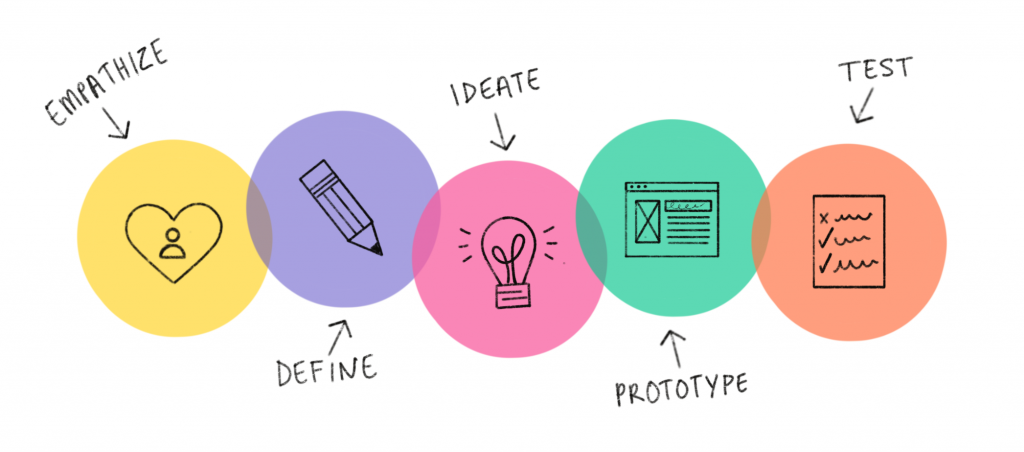
Design Sprint is the step-by-step, like a recipe. It corresponds to a process defined in stages, in which Design Thinking is incorporated.
The process
The Design Sprint process has a beginning, middle, and end.
It’s 5 days of teamwork, with professionals from different areas involved in developing the solution.
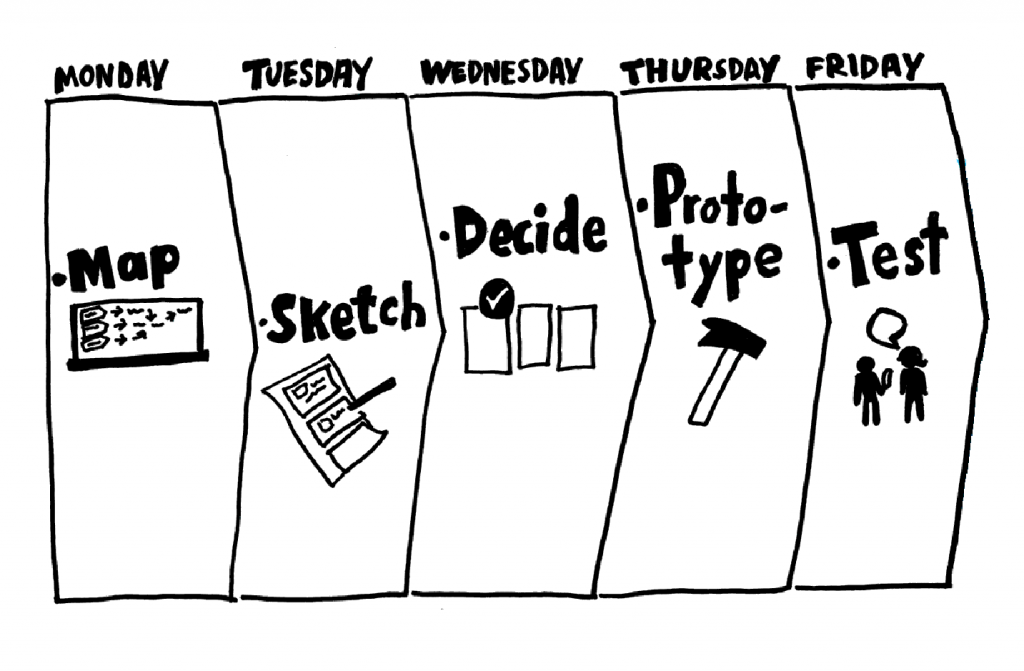
On the first day, the problem/challenge is mapped through interviews and a survey of the company’s needs. It’s the part of gathering information that provides the basis for defining the process objective.
On the second day, possibilities and ideas begin to be listed on how the problem/challenge can be solved. The team “literally” designs strategies and solutions.
Then, on the third day, the team chooses which idea will be worked on through a prototype. This choice is made through voting, so that everyone participates and contributes with arguments and analysis.
The fourth day is dedicated to creating the prototype, considering the user journey. The prototype is tested and validated by real users, and then the Design Sprint process is concluded, with the delivery of a product or solution idea within 5 days.
In this way, Design Sprint “tangibilizes” an idea and provides answers about its application.
Benefits of Design Sprint
The idea of Design Sprint is to work and validate an idea in a short period of time. After conducting tests, it’s possible to have a view on whether it’s worth continuing its development.
As a result, the company can plan the investment in the solution and may consider a user experience perspective.
Not to mention the insights generated in the early days of the process. The amount of content and ideas shared can be of great use for creating projects and improvements.
Another benefit of Design Sprint is collaborative work, bringing together professionals from different areas around the same purpose.
Thus, the company works its identity and counts on the perceptions of its employees to create unique products and services. This will make a big difference in the end user’s choice.
Remote Design Sprint
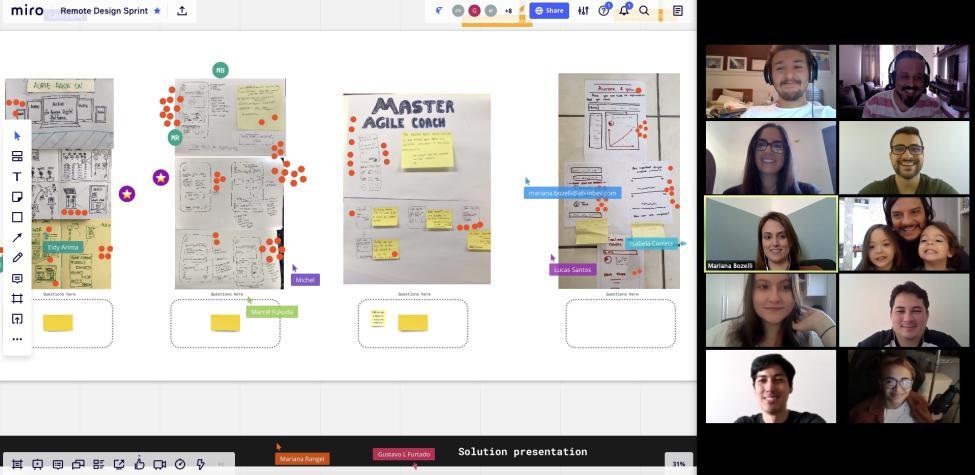
How to run a Remote Design Sprint?
Design Sprint is a process developed through teamwork.
The great challenge of Remote Design Sprint is to maintain the energy, interaction, and connection of the team throughout the stages. Furthermore, the use of some tools makes this possibility viable.
And speaking of tools, basically two are needed for Remote Design Sprint. They are video conferencing tools, for communication and interaction, and whiteboard, for collaborative work.
Respectively, we use Zoom and Miro as tools in the Remote Design Sprint process.
Now, let’s look at some very important observations:
Number of participants
Design Sprint is carried out with a multidisciplinary team. In remote mode, it’s ideal to run it with a maximum of 7 participants, ensuring productivity and organization in conducting the process.
Keep the camera on all the time
The camera should be on during the Design Sprint stages, to have a view of everyone’s participation and perception of understanding about the process objectives.
Duration of activities
In remote mode, it’s important to define the duration of activities so that Design Sprint doesn’t become a tiring process. It’s nice to include “ice breaker” exercises, that is, dynamics and interactions that promote the bonding of participants, such as asking someone to share a curiosity about themselves that the others don’t know.
Participation agreement
The possibilities for distraction in Remote Design Sprint are many.
Being online, near the phone, and in the home environment are factors that can divert attention from the process. Therefore, the tip is that, right at the beginning, on the first day of Design Sprint, everyone makes an agreement or “contract” on how they will follow throughout the workshop, for example, maintaining focus, attention, and engagement without judgments, and that they will participate keeping cameras on and other devices off, contributing in all stages.
Facilitator’s role
A good facilitator will be of vital importance for the success of Remote Design Sprint.
Conducting activities, motivating participation, and guiding the completion of each stage of the process. The facilitator must know with authority how Design Sprint works and how to apply it.
One of the facilitator’s objectives is to ensure that the team is having productive discussions, that the entire team is being heard, answering the right questions, and that everything is happening within the ideal time.
A good facilitator should:
- Ensure the entire team is productive and present;
- Guide the team in difficult decision-making points;
- Help visualize the project with a new perspective;
- Leverage a variety of tools to obtain concrete answers.
Above all, the facilitator’s responsibility in the Remote Design Sprint process is to maintain the energy and connection between participants, because this factor will be the great differentiator for the team to actually produce the best possible result for solving the proposed problem/challenge.
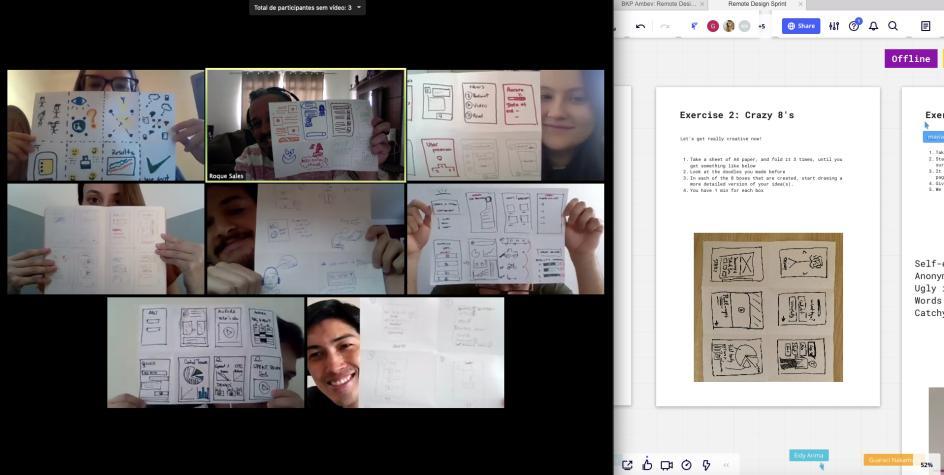
Caption: Zappts UX team together with the Anheuser-Busch InBev team, facilitating a Remote Design Sprint session.
Conclusion
The theme of this article is in question format and questions the functionality of Remote Design Sprint. Well…
Based on the experiences we’ve had and the results obtained, I can say “YES”! Remote Design Sprint works, and as presented, it’s an alternative that can be extremely interactive and productive.
The tips about the number of participants, the duration of activities, and all the others I listed are important because, in remote mode, the facilitator will play a fundamental role in ensuring the process outcome is satisfactory, and even more so: that it produces a feeling of collaboration and importance for the team among participants.
I hope you enjoyed learning a little more about Design Sprint and Design Thinking and that this content can, in some way, help in the effectiveness of your design projects and solutions.
I’m heading out, but first, I have a suggestion for you: the content of this article is available in video format. Check it out below and learn more about Remote Design Sprint. Cheers and see you next time 👋
Share this article
Related articles

16 set 2026
The End of Passive SaaS: Why You’ll Pay for Outcomes, Not Seats
The traditional software pricing model based on per-user licenses (seat-based SaaS) faces an inevitable decline in 2026.

09 set 2026
The Timid Autonomy Dilemma: Why Keeping AI in a Suggestion-Only Role Is Killing Your Margins
This article analyzes the financial impact of this "timid autonomy" and advocates for an urgent shift to the "Human-on-the-loop" (HOTL) model.

02 set 2026
The "SaaSocalypse" is actually an architecture and identity crisis.
This article reverse-engineers a real-world success story (anonymized) from the financial sector, dissecting the layers of...