
Pair Programming
Pair Programming and 5 essential Visual Studio Code extensions for collaborative work.
30 de julho de 2021

Introduction
We know there are moments when carrying out certain activities can be a bit complex. Therefore, a second perspective is often needed for the implementation and building of reasoning.
Pair programming is a development technique in which two developers write code collaboratively, involving a lot of communication.
This practice can help in several ways: Whether in discussions about best practices in code implementation, peer code review, building good solutions, and also in knowledge sharing.
Let’s talk a little about this technique, its styles, some of its benefits, and also 5 tools that can help with collaborative work.
Pair Programming: What is it about?
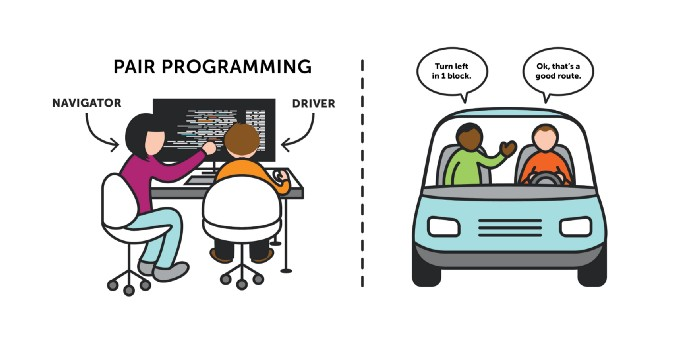
As mentioned before, Pair Programming is basically the ritual of two people programming together. But then the question arises: how does it work in practice?
We divide the practice into two roles, the Driver and the Navigator.
Driver
The developer works on the details of the current code implementation.
- Ignoring external elements or larger problems, focusing only on small parts, and;
- During their coding, the developer speaks as if explaining their logic.
Navigator
This person thinks more strategically about the next steps and improvements.
- Stays in the observer position;
- Reviews the code, shares ideas and provides direction;
- Analyzes exceptions and possible bugs;
- Makes notes on sticky notes to later pass to the driver, thus avoiding interruptions.
Although we have these well-defined roles at the beginning of the text, both developers review the activities at each step. Thus, allowing both to work on the code in a passive and active manner.
Below you will find a flow of how a pair programming session begins:
- Starts with choosing a well-defined and refined task;
- Separation of roles and functions in the session;
- Analyze each step and objective at a time, which can be managed by “code commit message”, unit test and/or sticky note;
- Regularly rotate roles, at the end of each part of the task (defined by the pairs). Or every 25 minutes, as in the Pomodoro technique;
- The navigator is not only tactical, but also brings the next implementation steps.
Some Pair Programming Styles
Ping Pong Style
This style is very close to TDD (Test Driven Development), and can be used when there is a defined task.
- PING: DEV A writes a failing test;
- PONG: DEV B writes the fail-proof implementation;
- PING: DEV B starts writing the failing test;
- Each PONG always refactors, when possible, after reaching green;
Pair-Development Style
This style has some other tasks, making this style more of a mindset for implementation.
According to its creator, Sarah Mei, developing a User Story or feature is usually not just about code, but also about other steps.
Planning
Understanding the problem:
- Read the story to each other, highlighting what was understood;
- If necessary tools are needed, you should look for them.
Come up with a solution:
- Discuss with your partner or try to come up with a solution alone;
Plan the implementation:
- How will it be tested?
- Notes or sticky notes;
The benefits of Pair Programming
There are some benefits to pair programming that can vary depending on the implementation method. I’ll list some below:
Knowledge Sharing
When two minds work on the same problem, there can be different perspectives and alternatives to find a solution.
Reflection
Explaining concepts out loud allows us to demonstrate whether we truly understand a particular subject.
Optimized workflow
With pairs integrated into solving a particular problem, improvements to the codebase can emerge.
Tools for collaborative work
In my journey through IDEs and text editors, none of them changed my conception of what a complete and integrated environment is.
Whether through the multitude of extensions provided by the community and Microsoft, or through its compact and robust design.
I present below 5 extensions that can help you and your team on a daily basis inside the IDE when doing pair-programming or code-review.
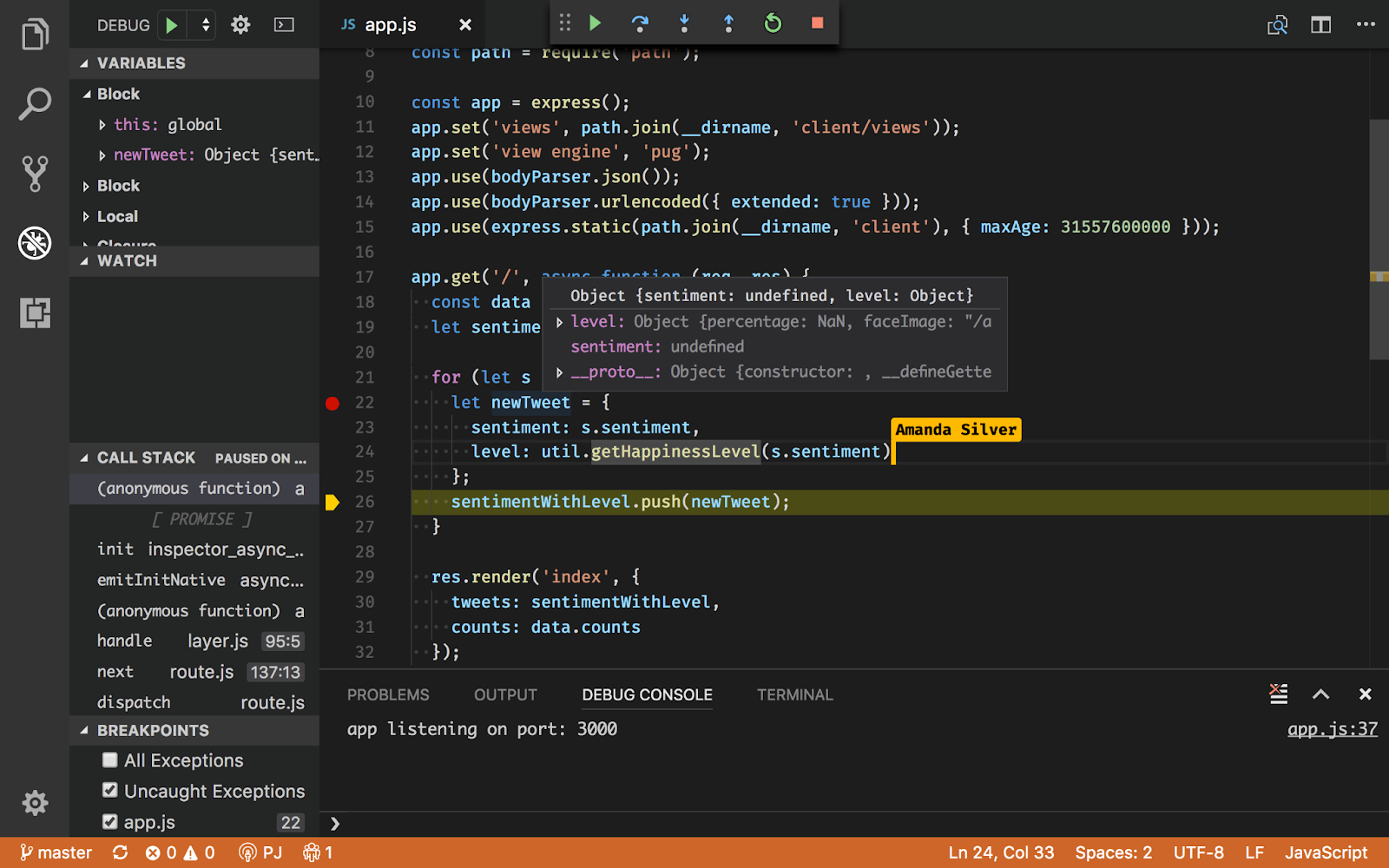
Live Share
The tool brings a real-time collaborative environment to edit or debug code in Visual Code.
Working with a classmate or colleague remotely, whether in pair-programming, code review or to solve a specific company problem, will no longer be an issue.
You’re mistaken if you think that’s all it does. It’s not just a simple remote editor.
You can also: chat via chat, and share your local server and terminal!
That’s right! Additionally, you can invite more than one person to work collectively.
The extension comes as a package: Live Share, Live Share Audio, Live Share Chat and Peacock.
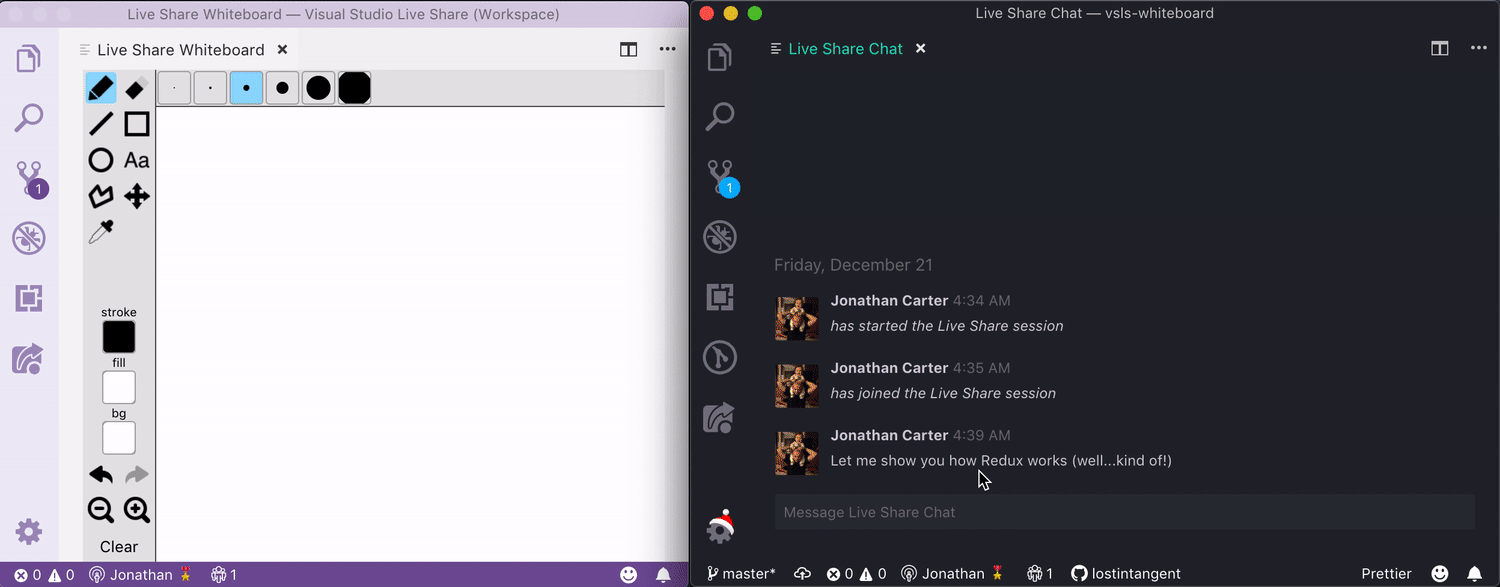
Live Share Whiteboard
Have you ever been confused about a concept or explanation and your teacher or mentor had to leave Visual Code to draw in another tool?
Well then. The purpose of the extension is exactly that: to have a collaborative ‘Whiteboard’ inside Visual Code.
You can now draw relational database models, software architecture, or even give a team presentation.
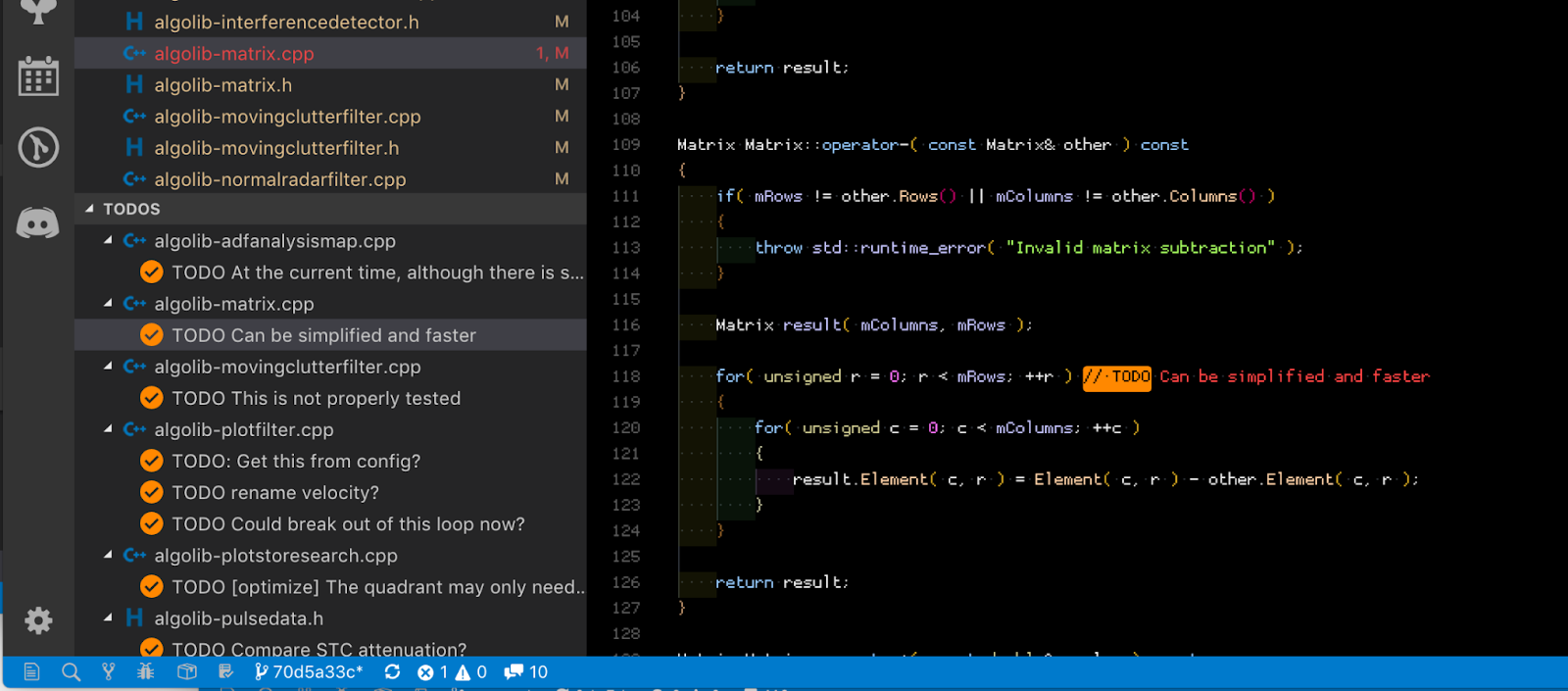
Todo Tree
As a developer, you must have encountered a scenario that could be improved in the future, or even during feature implementation.
Todo Tree is exactly for this purpose. With it, you can add TODO and FIXME tags at the beginning of a comment, and add them to a dedicated panel for future viewing.
Creating a task list that helps you find where in the code you added the tags.
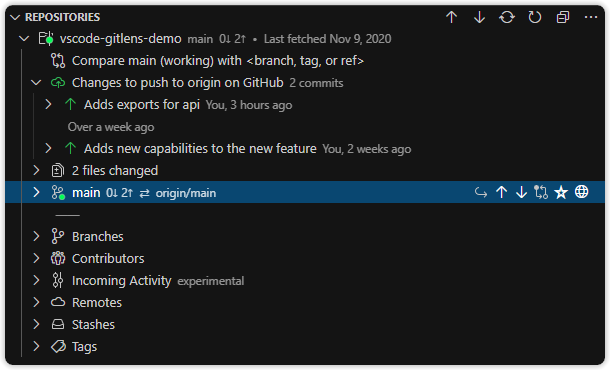
Git Lens
I knew I was spending too much time in the terminal running add, commit and push commands.
That’s when I realized I needed a tool to automate this process, and along the way have more information about my commit history.
GitLens welcomed me and gave me the power of Git Supercharged, great insights into code changes, file and line history, and several other tools.
If you need to advance your git usage and have more data about your codebase progress, this is an essential tool.
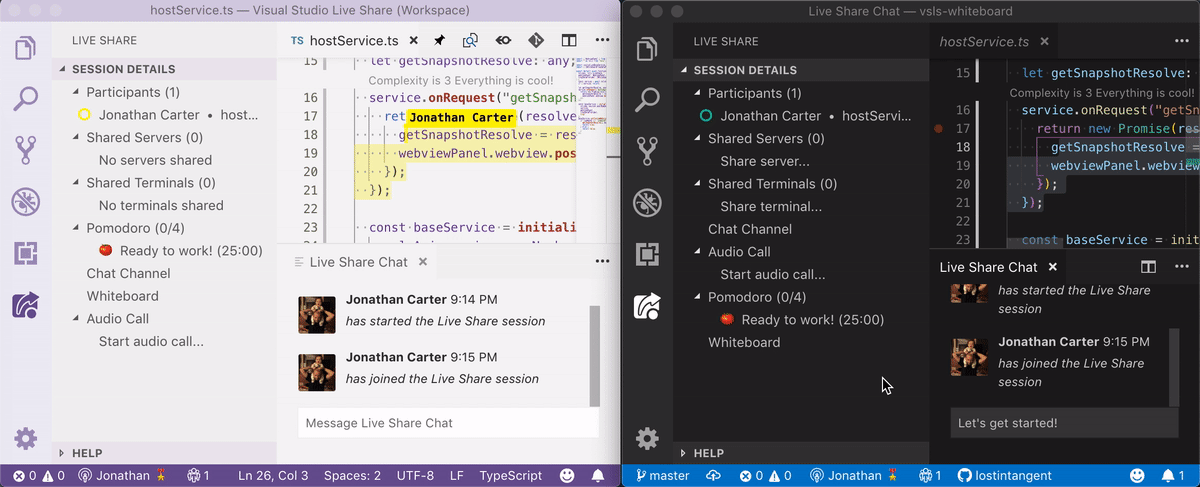
Live Share Pomodoro
The Pomodoro technique has been a great tool for helping with focus.
Its simple structure of having 25-minute sessions with short-breaks and long-breaks can be very helpful in your pair-programming sessions.
Live Share Pomodoro integrates well with Live Share, helping with sessions.
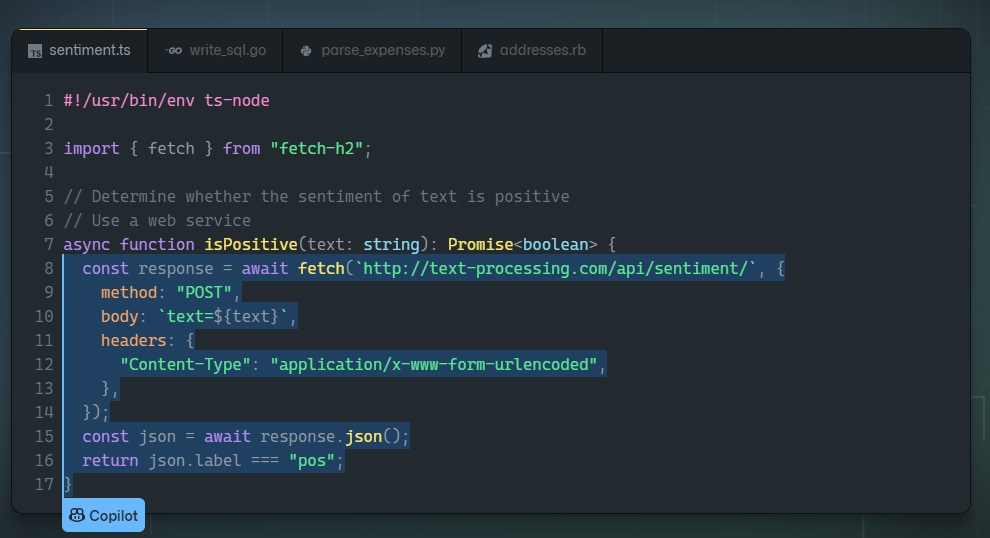
Github Copilot
Github Copilot is an artificial intelligence tool that works as a code writing assistant.
It is supported by OpenAI with their new AI system called Codex.
In this environment, the tool was trained on publicly available code, and with natural language processing (understanding both programming languages and natural languages).
The tool assists and writes based on the context of comments and code, suggesting everything from lines of code to complete functions.
It currently supports a wide variety of programming languages, and is in technical preview, which means it is an incomplete version (subject to bugs and instability).
While there is time for testing, the group for testers is limited (although it is possible to join the waitlist). After access is released, the extension can be installed in VS Code from here.
Conclusion
The pair-programming technique can help you communicate better during a code session, discuss best practices, share knowledge and bring solutions to everyday problems.
And, combining all these tips with VS Code tools, it becomes easier to work remotely with this technique. I hope I helped you learn a little about the technique. See you next time!
This post was developed by Dheyson Alves, front-end mobile developer at Zappts.
Share this article
Related articles

16 set 2026
The End of Passive SaaS: Why You’ll Pay for Outcomes, Not Seats
The traditional software pricing model based on per-user licenses (seat-based SaaS) faces an inevitable decline in 2026.

09 set 2026
The Timid Autonomy Dilemma: Why Keeping AI in a Suggestion-Only Role Is Killing Your Margins
This article analyzes the financial impact of this "timid autonomy" and advocates for an urgent shift to the "Human-on-the-loop" (HOTL) model.

02 set 2026
The "SaaSocalypse" is actually an architecture and identity crisis.
This article reverse-engineers a real-world success story (anonymized) from the financial sector, dissecting the layers of...